Links

Saturday, February 19, 2011

BroadCast Your Blogs on YouTube To Increase Traffic Significantly!


YouTube is is the most valuable source when it comes to driving traffic to a weblog or website. Most people often waste precious money on adwords and other Traffic driving services when the most cheapest and easiest source of traffic lies secretly in growing social websites. An example of one such free traffic generating source is no doubt YouTube. If you have observed the search results on Google carefully then you might have noticed that no matter what you search for, Google often displays results from two major sources i,e Wikipedia andYouTube. There is indeed a great advantage for those who wish to significantly increase there website traffic and today I will share one important trick of driving continuous and targeted Traffic from this Giant video Broadcasting service i.e YouTube

How Can You Drive Huge Flow Of Traffic From YouTube?

The Answer is simple, start broadcasting your Blog Posts on YouTube! Yes you heard it right! Let me explain it now.
Last year I tried every possible Traffic resource in order to multiply the number of unique visitors to MBT but most methods were often hectic and required great deal of time. I am sure you have triedlinkreferral or EntreCard and you know how often do we get angry when after having worked so hard the Traffic that we receive from them appears insufficient and non-targeted (Irrelevant visitors) So then I started experimented with some sources which worked wonders and one of these Magic wands was YouTube. What I did was creating videos of every post that I would publish. I did not create more than 8 videos but the Traffic from them was and is plausible. If I had kept on recording more and more videos then I am sure the Traffic that I receive today would have been thrice with no exaggeration. But due to lack of time I often fail to achieve many great opportunities..
I will share some easy steps by applying which you will be able to make a video of all your blog posts within 1-2 minutes. First kindly see the sample video below as an example,

You might have observed that I simply added a background music and then started simple recording of the post. We really don’t need high quality videos for this purpose as we just want the viewer to visit our blog after having seen the video so keeping the video short and straight is what we aim for.

How To create Videos of Blog Posts and Share it on YouTube?

The method is simple. Kindly do the following,
  1. Download CamStudio Video Recorder From camstudio.org
  2. Install CamStudio
  3. Then view the video below to know how to adjust your camStudio settings for quality recording.
 
4. After having understood the proper use of CamStudio simply jump at your Blog post and start Recording. Your Purpose is to provide the viewer with quick answer to his problem so keep the video short with following points in mind,
  • Start recording from your Blog header and then move to Post title and then move slowly till the end of your post.
  • Turn on your media player at the background while recording. This will make the video interesting.
  • After you have reached the end of your post then display a short ending message to the viewer as shown below,
Note:- You can use our image. Simply right Click it and click “Save Image as”

See the video below
5. Now Upload your video to YouTube using your Google Account
6. Keep the Video Title as your Post title
7. Add your Post link to the description and then finally hit Save.
8. View your video to see if it is working fine.


Move your Files to Relevant Folders with Ease-Desktop Management


You’re pretty organized in your real life but your computer desktop is a complete mess of files because you have the habit of saving everything on your desktop first.

The pictures that you transferred from the digital camera, your email attachments, documents, program installers, etc. are just scattered on your desktop and you rarely get the time to organize them into relevant folders.

How to Keep your Desktop Tidy

Would you therefore like to have some sort of a “wand” that can bring order to your desktop without much effort? Enter DropIt, a free Windows only utility that can automatically sort and organize your files based on your own rules.

DropIt adds a tiny “drop” icon to your desktop and any files or folders that you drag to this icon are automatically sent to the right folder according to pre-defined rules. And you don’t have to be a geek to create such rules.

For instance, you may set up a simple rule saying that all the PDFs and Word documents (*.doc;*.docx;*.pdf) should go to the My Documents folder while the MP3s and Videos (*.mp3;*.mp4;*.wmv) be moved to the Media folder.


DropIt is handy not just for tidying up your desktop but for organizing files in any of the other folders on your hard drive. It can both move as well as copy files from one folder to another or you may set the transfer mode as ‘compressed’ in which case the files will be zipped before getting moved to the destination.

You can even combine DropIt with the very powerful desktop search in Windows to organize files on your computer. For instance, find all the PDFs with desktop search and dump them to an appropriate folder by dragging them all to DropIt.

Once you have a tidy desktop, get this wallpaper to organize the remaining application icons in an easy-to-find layout. Also, if you are only looking to organize your desktop files into logical groups but without moving them to other folders, check out the Fences utility.

Friday, February 18, 2011

Switch to the Old Layout of Facebook Photos

Facebook recently upgraded the site's photo viewer such that pictures and associated user comments now appear in a dark pop-up window. This new layout of photos is live for most Facebook users though it looks a bit ugly and doesn't seem to gel with the otherwise very-elegant design of Facebook.com website.


Switch to the Old Layout of Facebook Photos


If you are viewing a photo in Facebook and would like to switch to the classic layout - where photos are displayed without a pop-up - just press the F5 key on your keyboard.

This will refresh the current Facebook page and the photo will display on its own page without the lightbox effect. Watch the above screencast for details.

All in One Notification Area Tray helps you managing lot of open windows

Even though Windows 7 comes with grouping of open windows there are users who always have a lot of open windows even if it is not by choice. This leads to problem of clarity and ultimately you run out of space on your taskbar.
All in One Tray is a simple utility which solves this problem by acting as a placeholder for any open window ( press Win + Q ) you want to send to background and use it later. This application itself sits in the Tray Bar. Now if you are worried about cluttered Tray Bar, don’t be. Like I said it acts as placeholder meaning it does not send windows to Tray Bar but hides them inside itself which can be accessed when you do a right-click on that icon.

Another feature which makes this app stand out is integration of control menu items

  • Admin Controls, Network configuration etc all in categorized.
  • System tools such as IP release, Renew IP, Power Options
  • and one click access to Built in tools like Problem Step Recorder etc.
  • It also lets you add your own set of tools by using the User Custom Path where you can select an exe. However this is limited to four.

Here is a video demo from the developer : ( direct link )

Download All in One Tray

Sunday, January 16, 2011

Win A Free Gifts

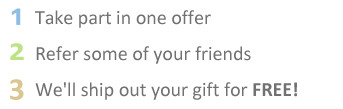
Win a free gift just by registering online.

How it Works

Sign up for PayPal and start accepting credit card payments instantly.
$10 Paypal (8 Referrals)


$20 Paypal (15 Referrals)


Get Chitika Premium
$10 Chitika (8 Referrals)


$10 bidvertiser (8 Referrals)


Frequently Asked Questions
Are these products really free?
Yes! After you complete offers, we get paid from our advertisers, which allows us to send you your free gift. 

Can I create more than 1 account?
No, You can only have one account, our gift system is monitored very closely, if you are found with more then 1 account, you account will be put on hold. 

What type of offers do you have?
We have many offers, and are always adding more. All our offers are free, they do not require you to submit your credit card information. We are the only website in this industry, where you can get a free gift without using your credit card. The mission of this site is to give away free gifts for those who do not have or do not want to share their credit card information. No Credit Card Required! 

Will I receive spam from you?
We want a spam free community, just like you we hate spam, and will never sell/rent your information. 

I have a question, who do I ask?
If you still have a question, then please send an email to admin[at]freegiftszone.com or if you have an account at Free Gifts Zone, then you can create a ticket from your account.

FACEBOOK WILL END ON MARCH 15th!


PALO ALTO, CA –Mark Zuckerberg announced that Facebook will be shut down in
March. Managing the site has become too stressful. 
“Facebook has gotten out of control,” said Zuckerberg in a press conference
outside his Palo Alto office, “and the stress of managing this company has
ruined my life. I need to put an end to all the madness.” 
Zuckerberg went on to explain that starting March 15th, users will no longer be
able to access their Facebook accounts. 
“After March 15th the whole website shuts down,” said Avrat Humarthi, Vice
President of Technical Affairs at Facebook. “So if you ever want to see your
pictures again, I recommend you take them off the internet. You won’t be able to
get them back once Facebook goes out of business.” 
Zuckerberg said that the decision to shut down Facebook was difficult, but that
he does not think people will be upset. 
“I personally don’t think it’s a big deal,” he said in a private phone
interview. “And to be honest, I think it’s for the better. Without Facebook,
people will have to go outside and make real friends. That’s always a good
thing.” 
Some Facebook users were furious upon hearing the shocking news.
“What am I going to do without Facebook?” said Denise Bradshaw, a high school
student from Indiana. “My life revolves around it. I’m on Facebook at least 10
hours a day. Now what am I going to do with all that free time?” 
However, parents across the country have been experiencing a long anticipated
sense of relief. 
“I’m glad the Facebook nightmare is over,” said Jon Guttari, a single parent
from Detroit. “Now my teenager’s face won’t be glued to a computer screen all
day. Maybe I can even have a conversation with her.” 
Those in the financial circuit are criticizing Zuckerberg for walking away from
a multibillion dollar franchise. Facebook is currently ranked as one of the
wealthiest businesses in the world, with economists estimating its value at
around 7.9 billion. 
But Zuckerberg remains unruffled by these accusations. He says he will stand by
his decision to give Facebook the axe. 
“I don’t care about the money,” said Zuckerberg. “I just want my old life back.” 
The Facebook Corporation suggests that users remove all of their personal
information from the website before March 15th. After that date, all photos,
notes, links, and videos will be permanently erased.

Ref: http://weeklyworldnews.com/headlines/27321/facebook-will-end-on-march-15th/


This is Spoof Article. 
If Mark Zuckerberg Shut down Facebook, A website Worth Over Two Million Dollars, He Will Go Down Financially,Yes Facebook is Mis-used By Some, But Facebook is Also Spreading Good things. There Are School Pages, Religious Pages And Entertainment Pages On Facebook. Children Are not Stuck to Facebook, They Are Stuck to Their Friends And Photos. To Teenagers Facebook is a Place to Show off Photos And Talk to Friends, nothing More.

Friday, January 14, 2011

Generating Money Online through Google AdWords


Google AdWords is also one of the great online money making opportunities that enable an individual to make money. It is a very cost effective and efficient form of promoting a certain product or service online. Google is one of the most used search engines in the internet, and it is used in most countries across the globe. Therefore, once you put your ads in this SEO then you similarly advertise your products all over the world.
On the other hand, if you are one of the individuals who are looking for online money making with Google AdWord then you have to consider practicing the following instructions:
  • First, you need to register to a Google Adword Account.
  • To make money with Ad Words and to make online money, you will have to further determine what your budget is as well as you also have to do a test market.
  • Make use of the Google Ad Words as a campaign tool to make a very effective Goggle Adword campaign as well as to further determine the keywords that can greatly fit your company’s budget and site. This can greatly help youmake money at home.
Test your ads and be further informed with regards to how it works. Using Ad Words, you can exactly see how much you are spending per keyword and of course per hour that you are spending each day to make money using Google Ad Words.
You also have to always pay attention of the additional resources that you could encounter online. Never ignore any additional resources and information that would be essential for you to avoid any complexities and troubles in making online money. Always remember, there are several online opportunities out there, and you are lucky enough to experience it. All you have to do is to make sure that you are skilled and capable enough so that you can suit the requirements of various online jobs.

Search This Blog